
If you find that all your Ebay orders aren't syncing into your Web Ninja site, or your accounting package. It's possible that your Ebay token needs to be renewed.
You can attempt to renew the token yourself by logging into the admin console of your eBay connector.
Then select this option from the top menues: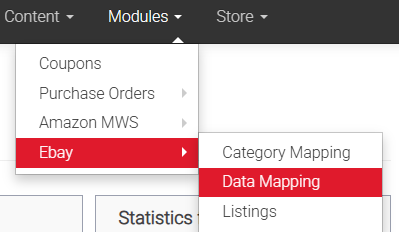
You may see a link to disconnect your eBay account - if so - click that.
Then you should see: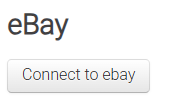
Clicking this will redirect you to eBay's login page where you'll need to enter your eBay account credentials.
eBay will warn you that you're requesting to allow Webninja to have access to your account - you'll need to select "Yes" you approve Webninja before you can proceed.
You'll be redirected back to the config page on the connector's Admin page and you should be able to start syncing orders again after that.
If you still have issues after that, you can email us at support@webninja.com.au or lodge a support request at:
support.webninja.com.au
and our Support Team will be able to look the issue for you.
Please have your eBay login details handy so they can assist you with renewing the token via your eBay login and you can sync through orders again.