
The Web Ninja integration with Attache allows you to flag products to send to your webstore. Let's take a look at the store setup and then what we need to do in Attache.
Configuring your products
-
Login to the admin area
-
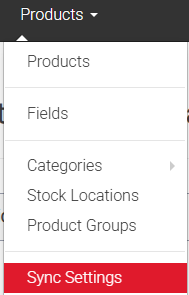
Select Products >> Sync Settings
-
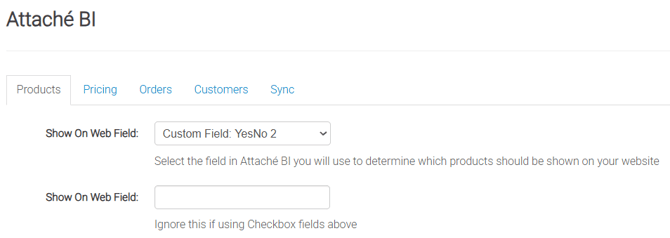
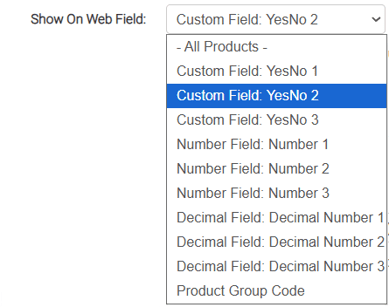
Set the Show On Web Field dropdown
-
All Products - All inventory items are imported to the site
-
Yes/No 1/2/3 - You can flag products directly in Attache BI by adding a Y in Yes/No 1, 2 or 3. (Note the numbers are based on which row of custom fields that the field is selecte from in Attache BI)
-
If any field other than the yes/no fields is selected, then you'll need to put a value in the 2nd text field: (if you use one of the decimal fields, you'll have to use a numerical value eg.1)

-
-
You can set a default Attache price account so web customers without an Attache account can have specific pricing. Enter the Attache account number in this field